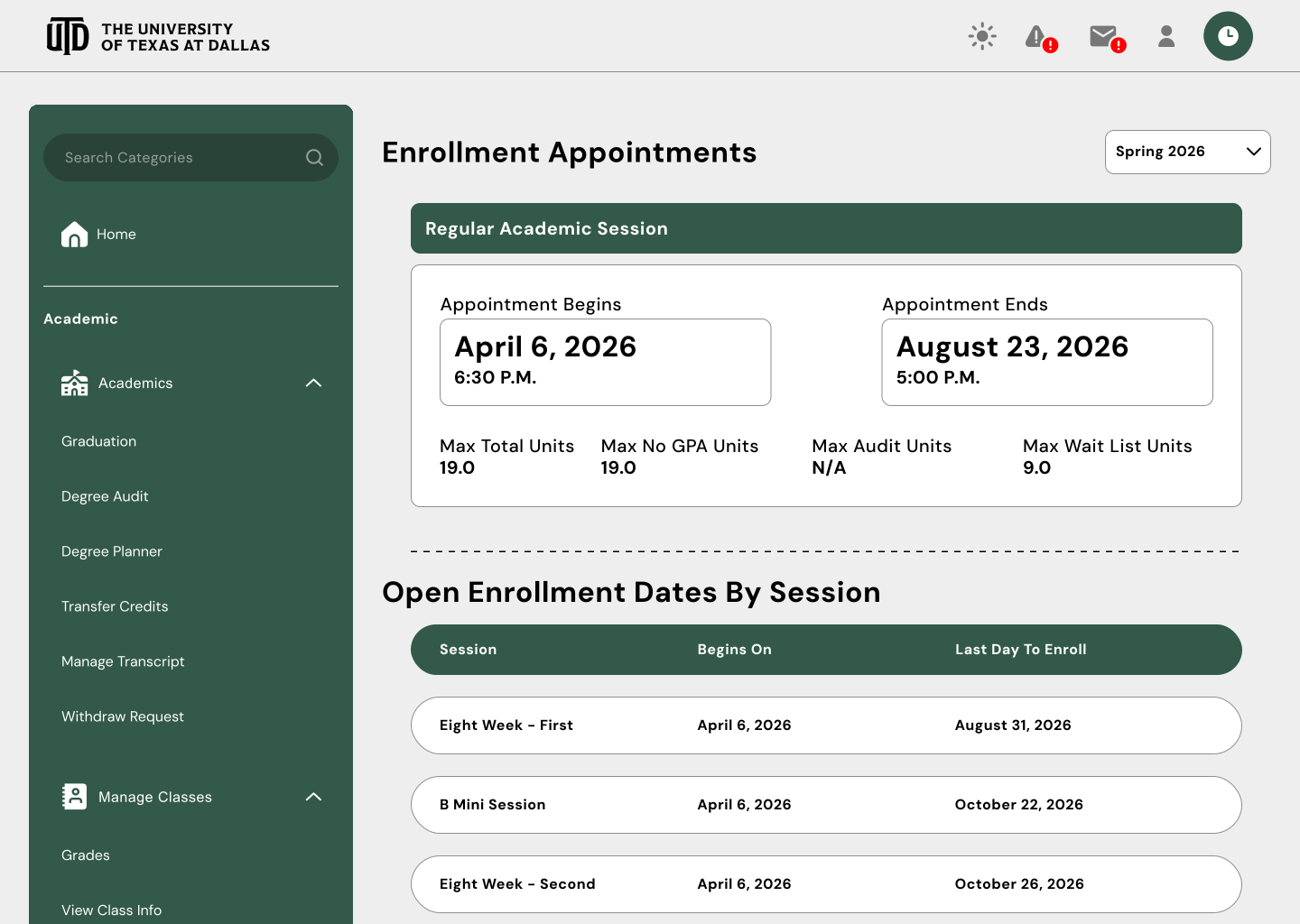
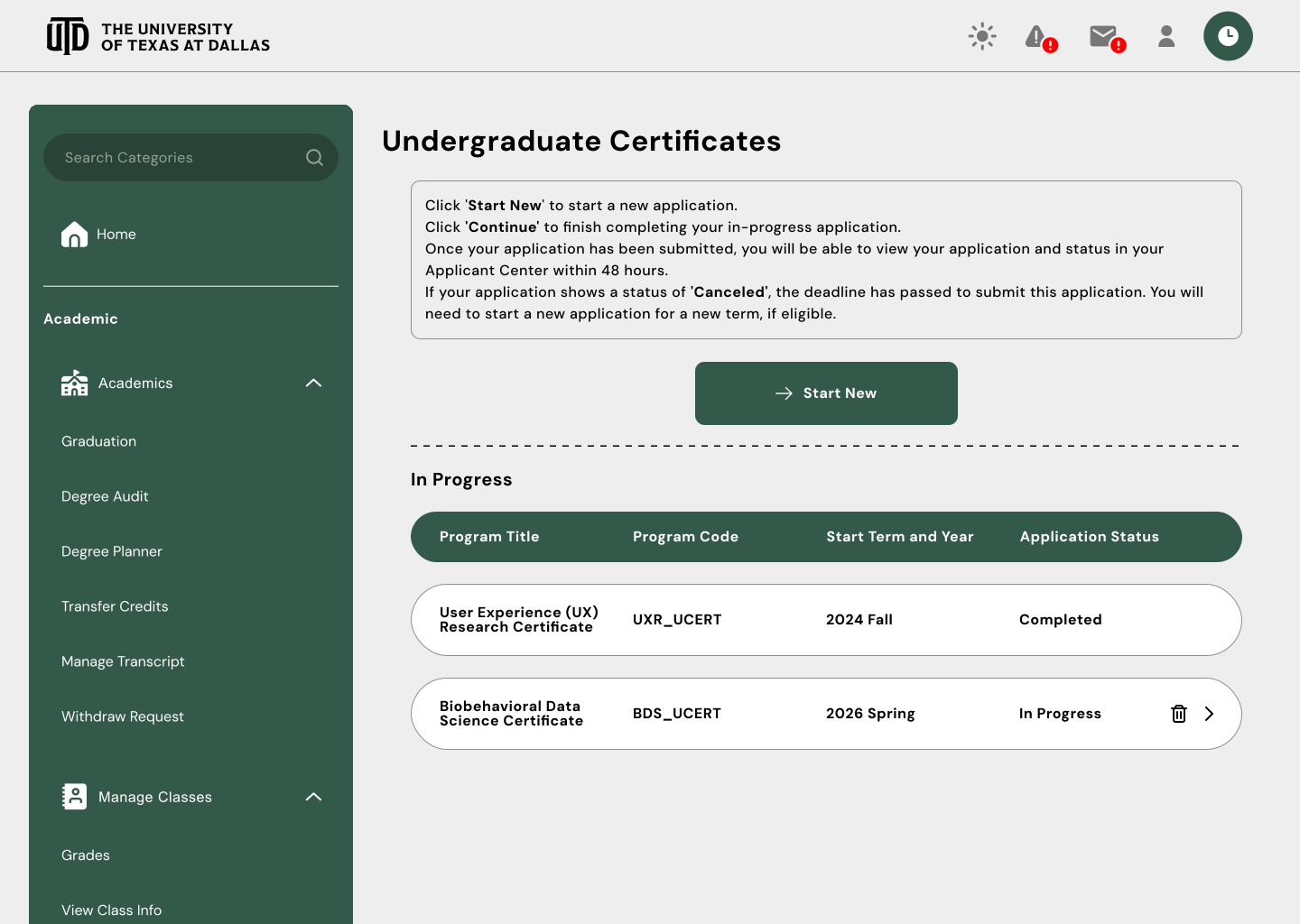
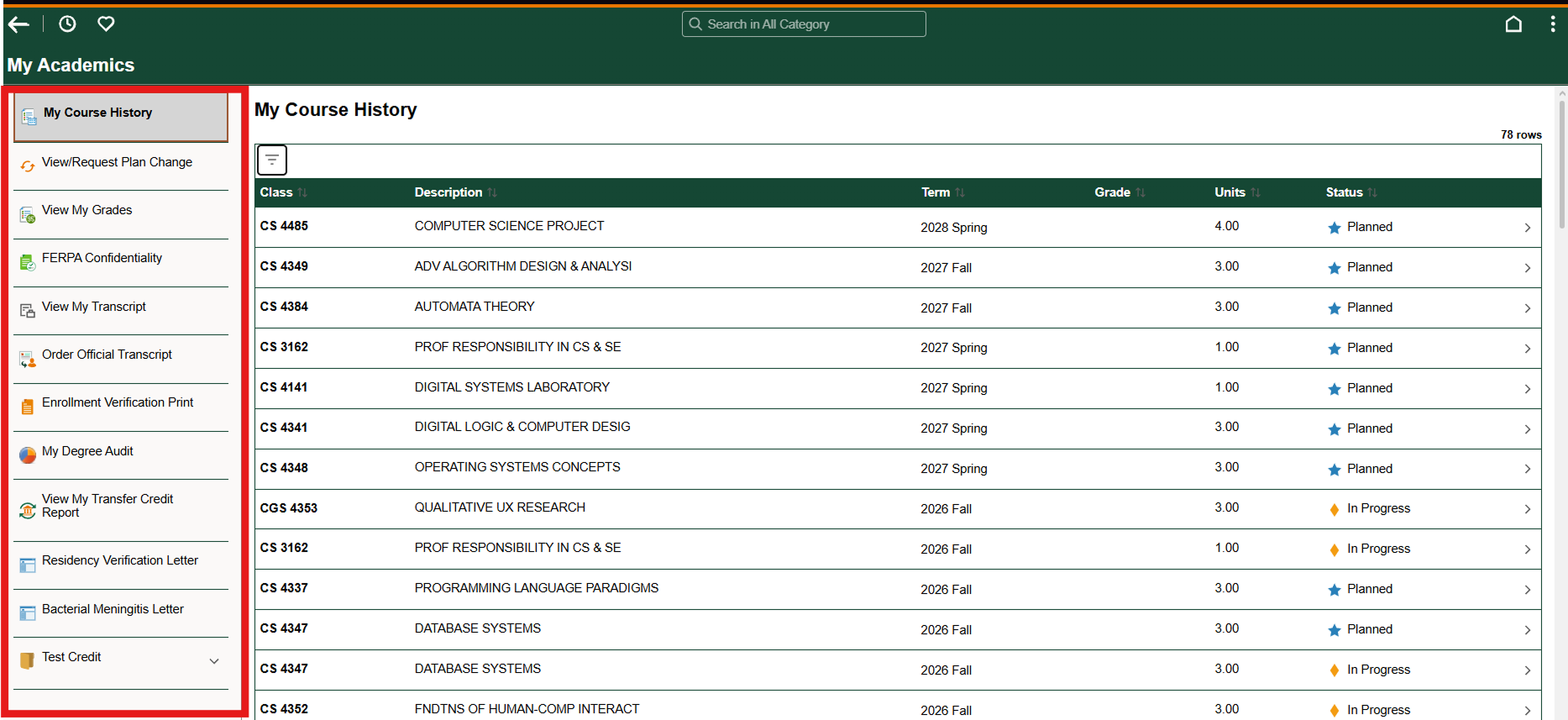
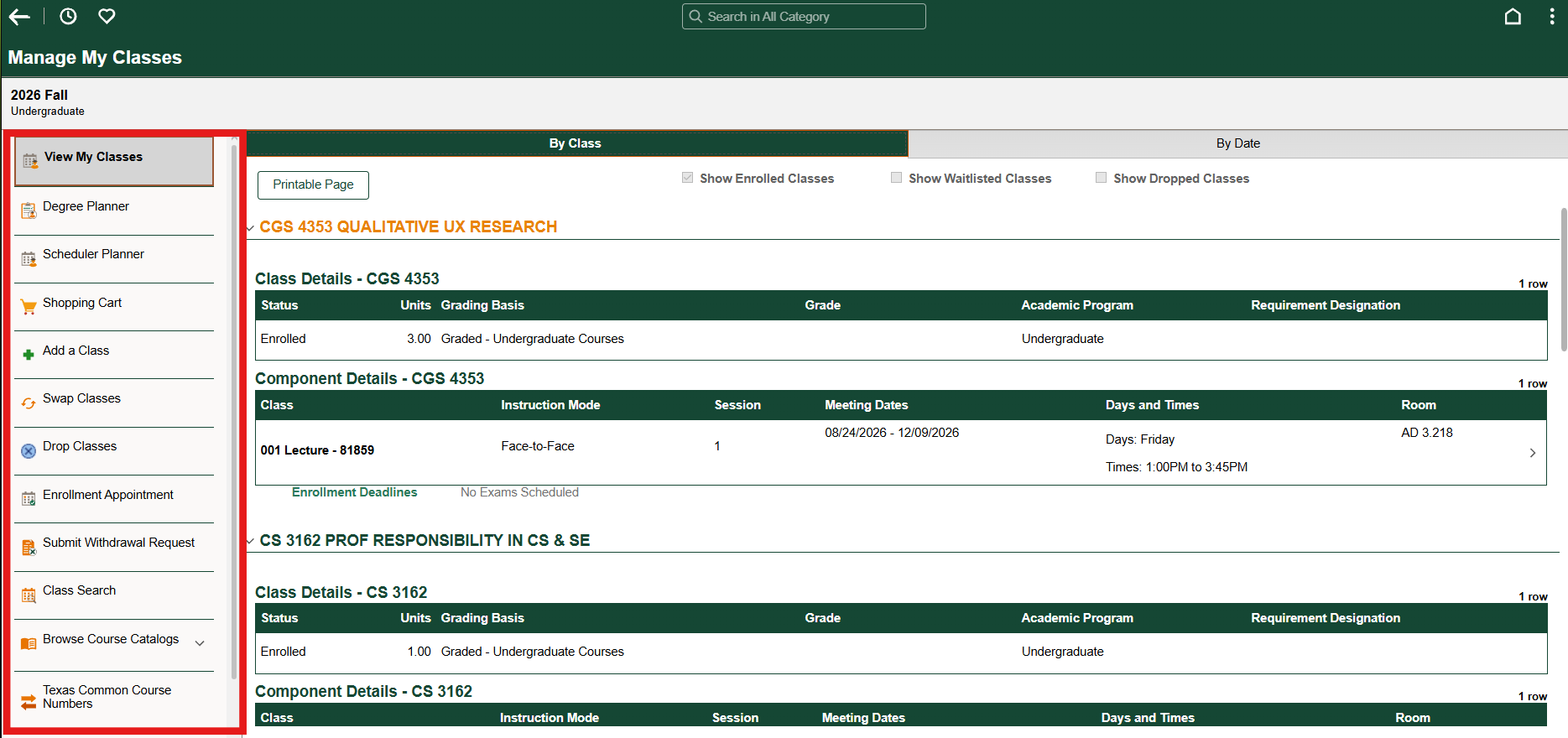
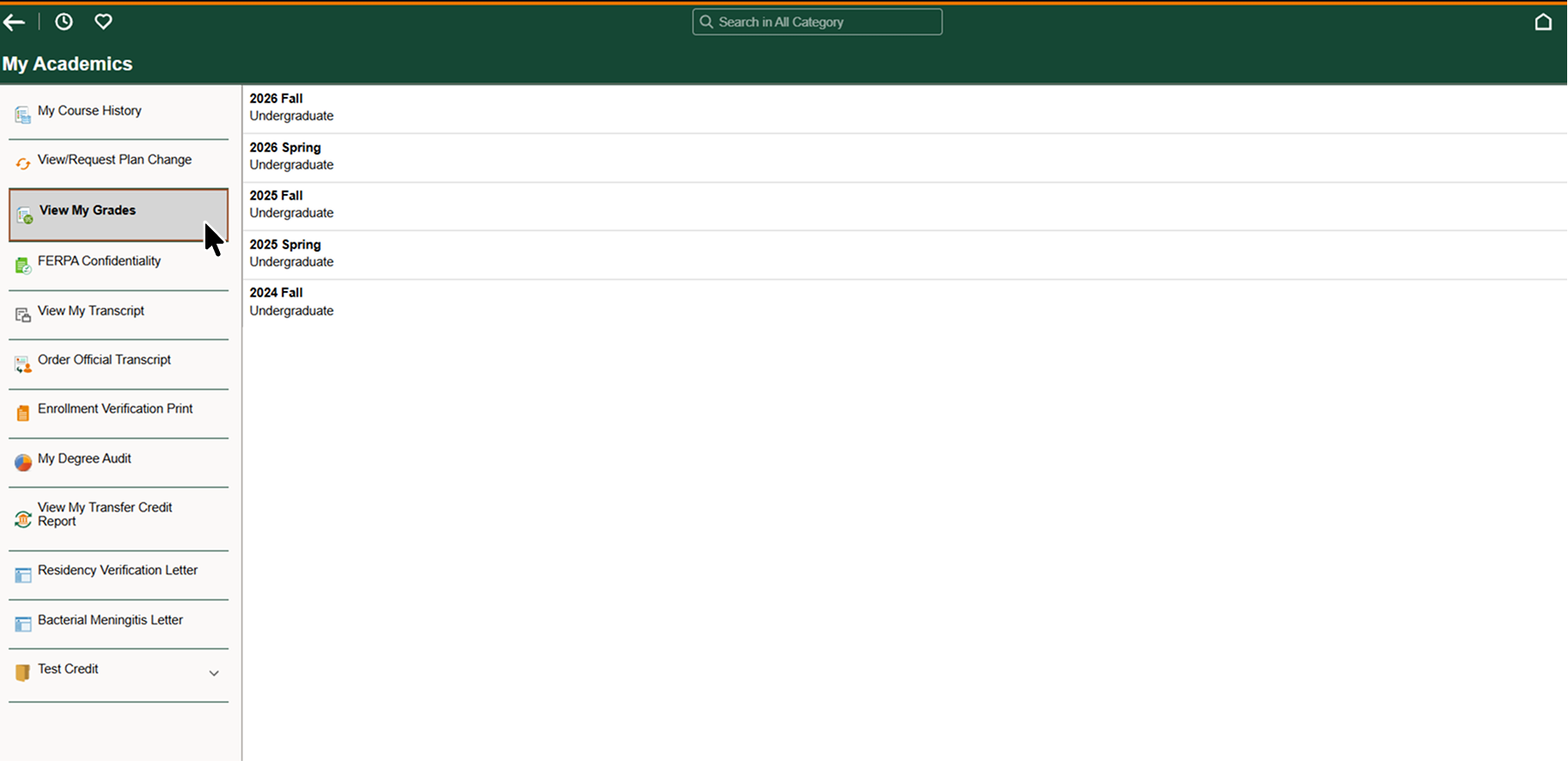
 Very annoying to get from one specific page to another!
 Depicted: User Navigating to Graduation Page
 Depicted: User Now Wants to go to Another Page
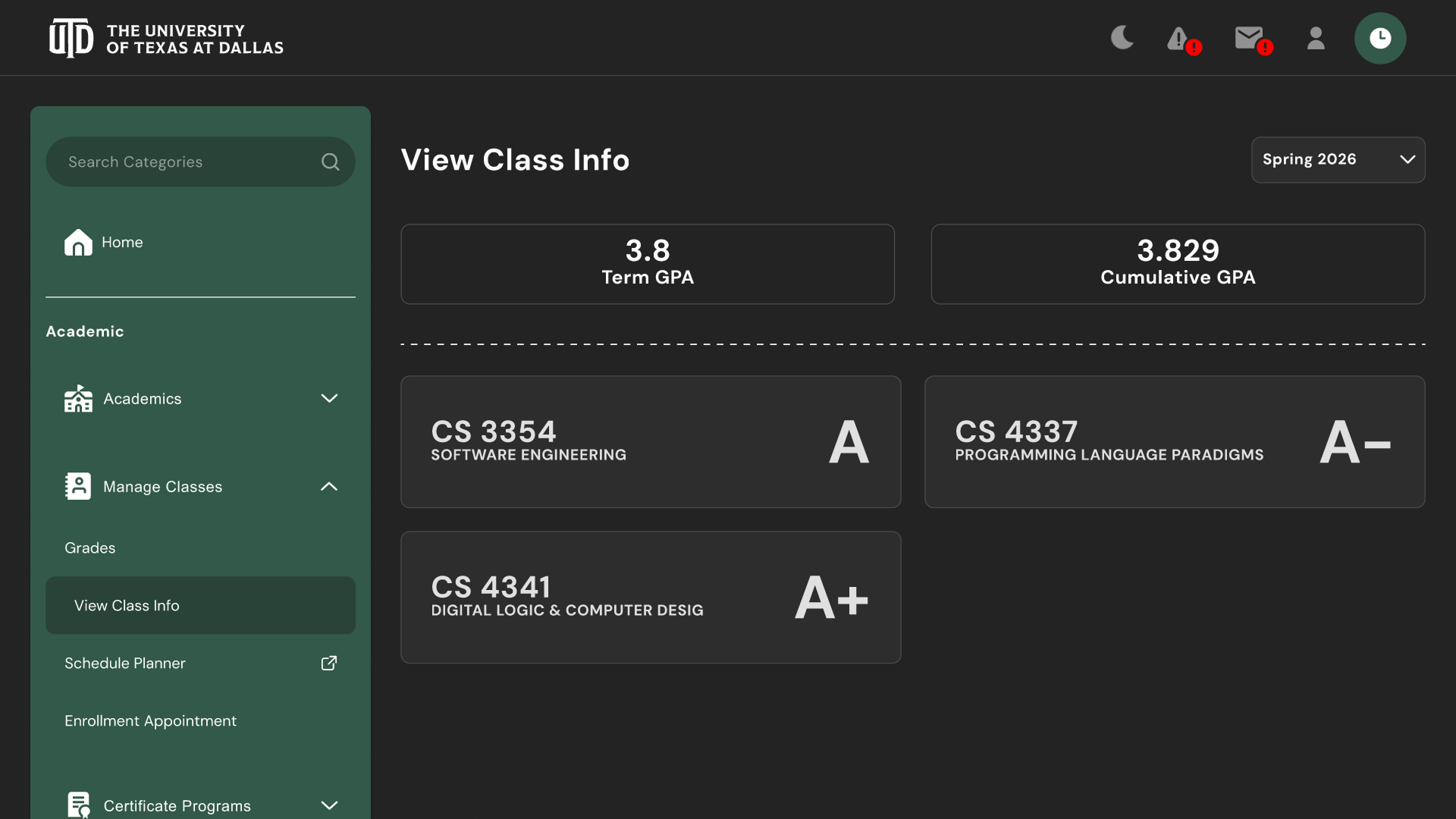 Finalized Sidebar!
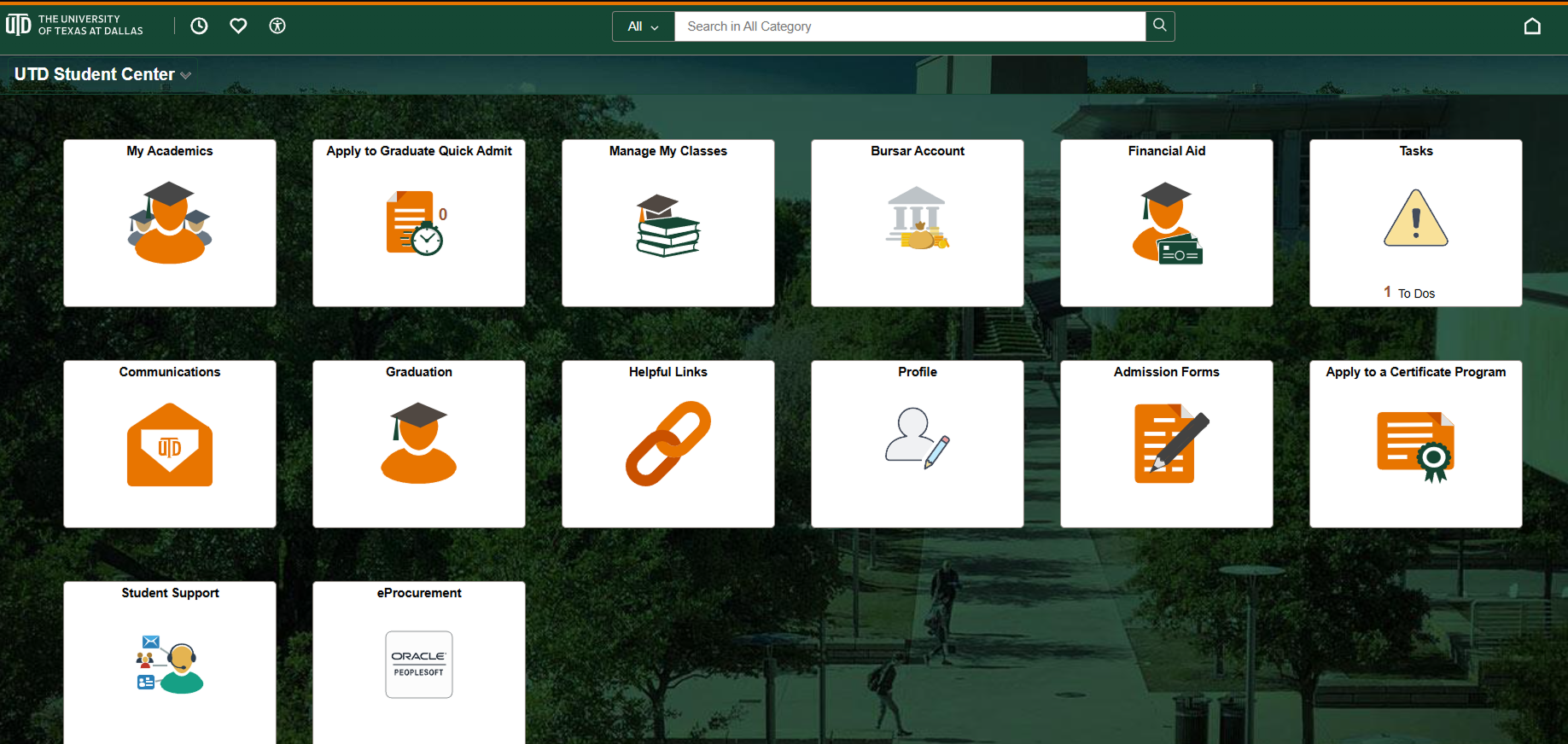 Orion Home Screen
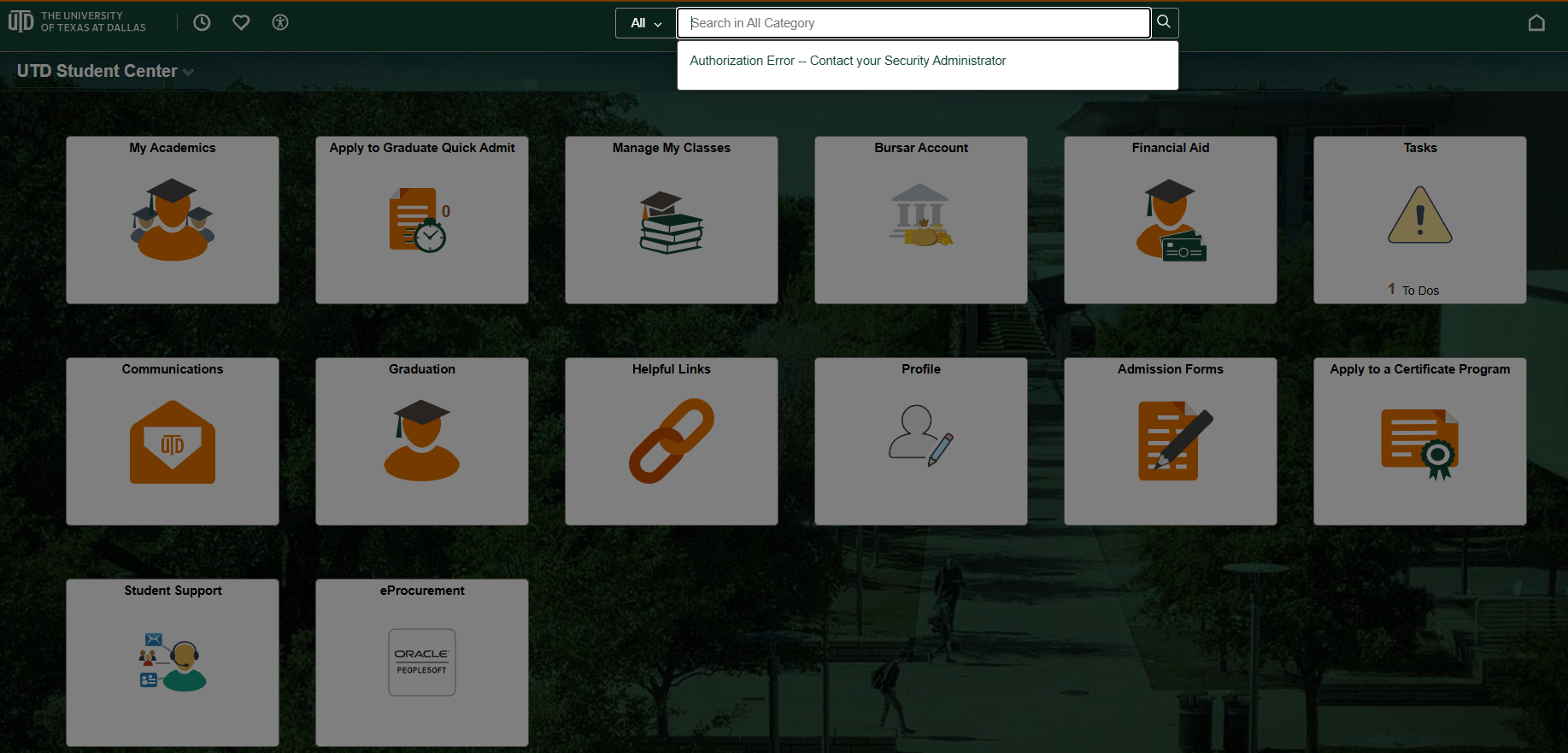 After Clicking on the Search Bar (Gives Error)
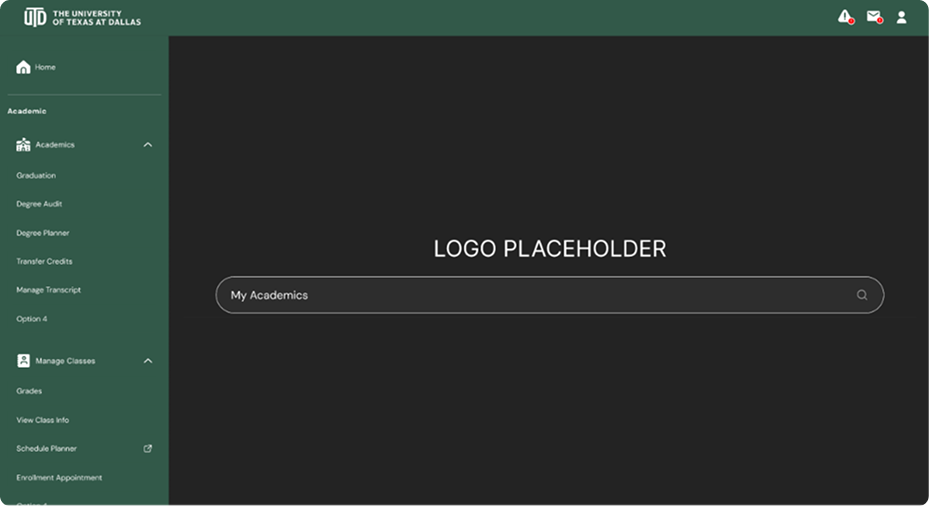 WIP Home Screen
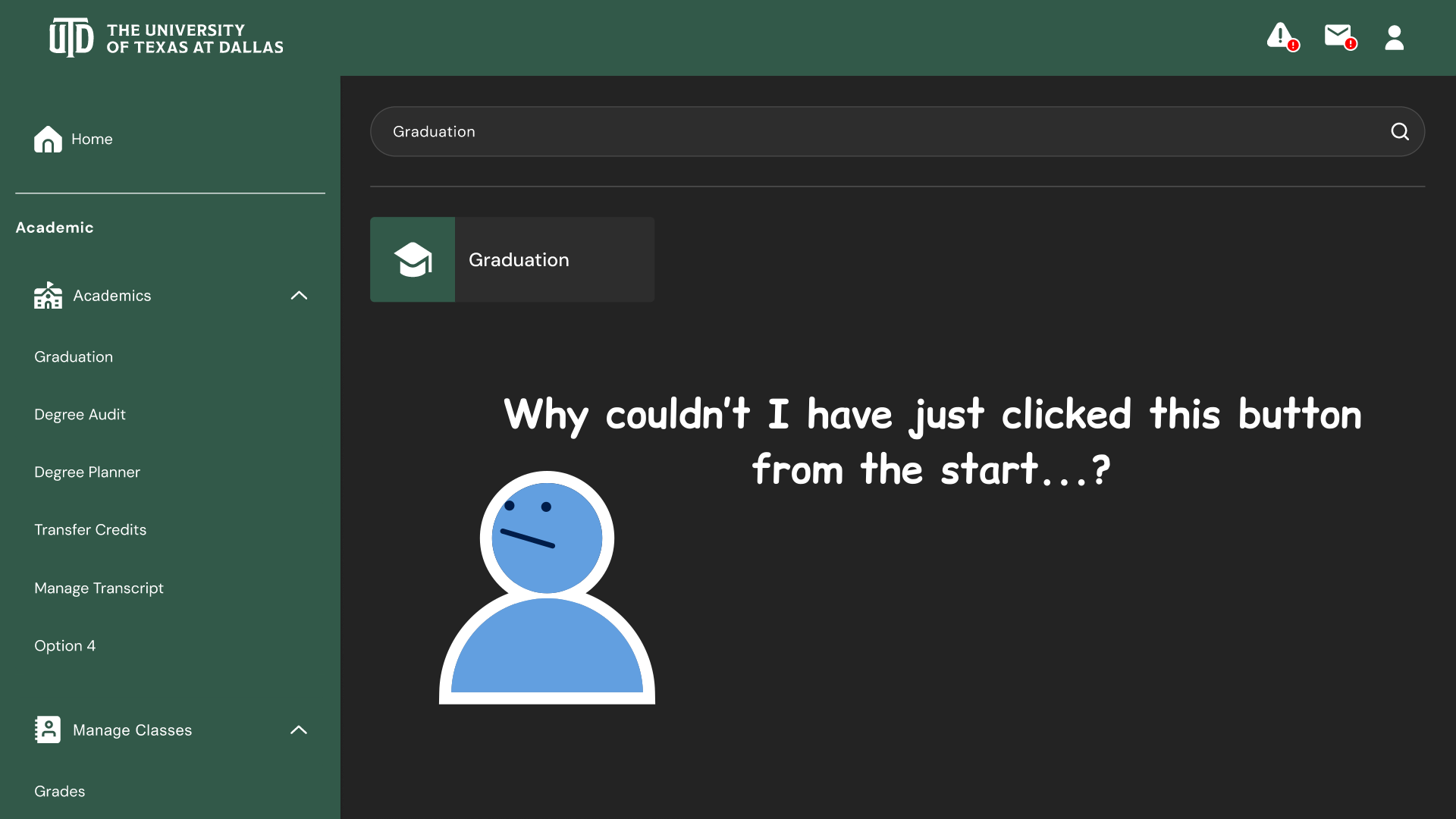 User shouldn't have to manually search for categories when they can just click the button from the start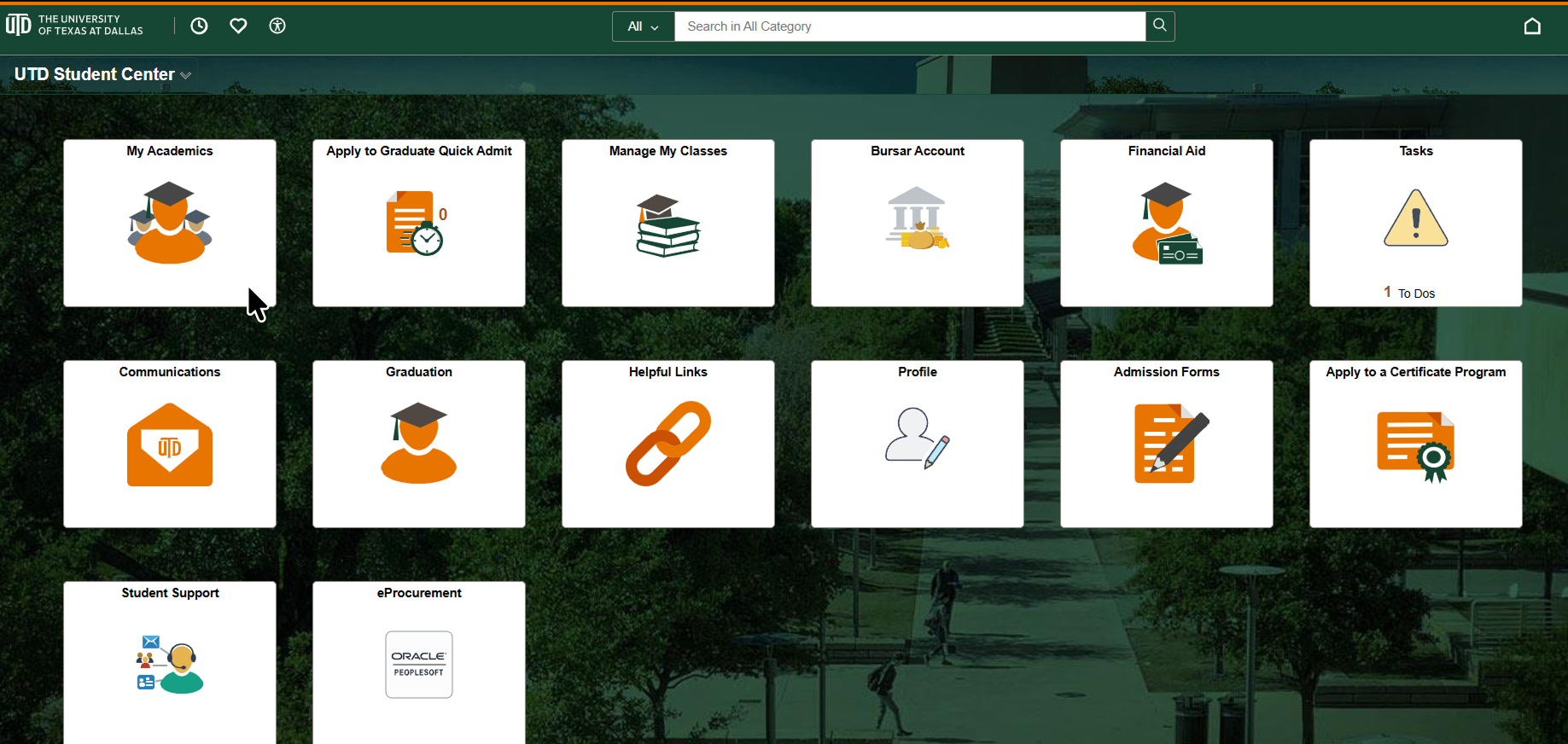
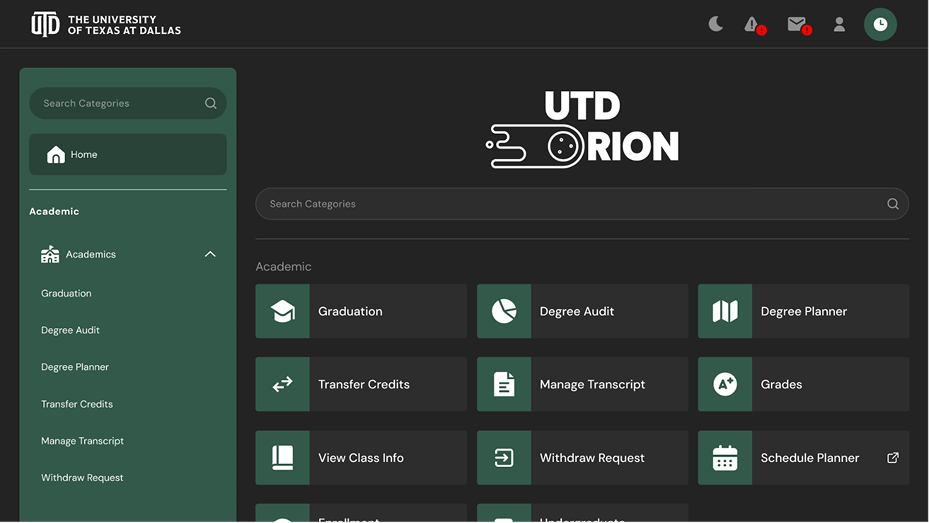 Finalized Home Screen
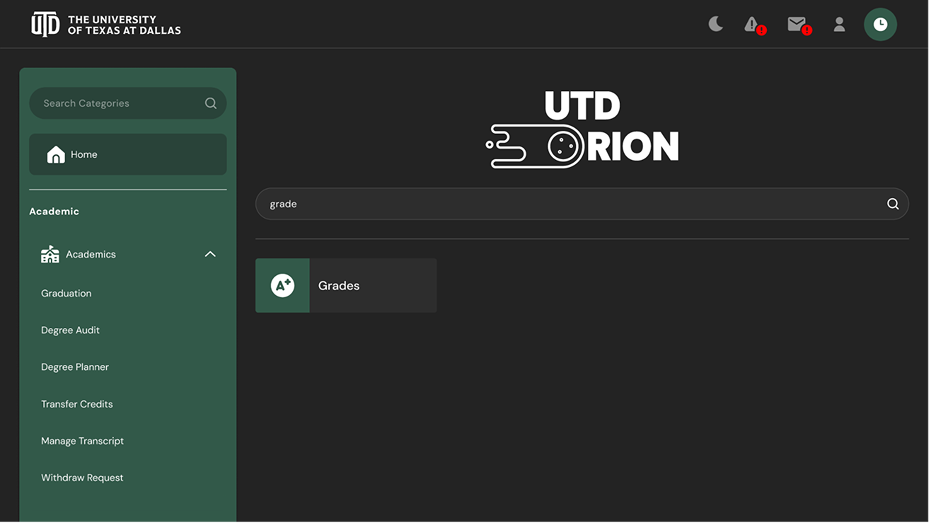 Finalized Home Screen
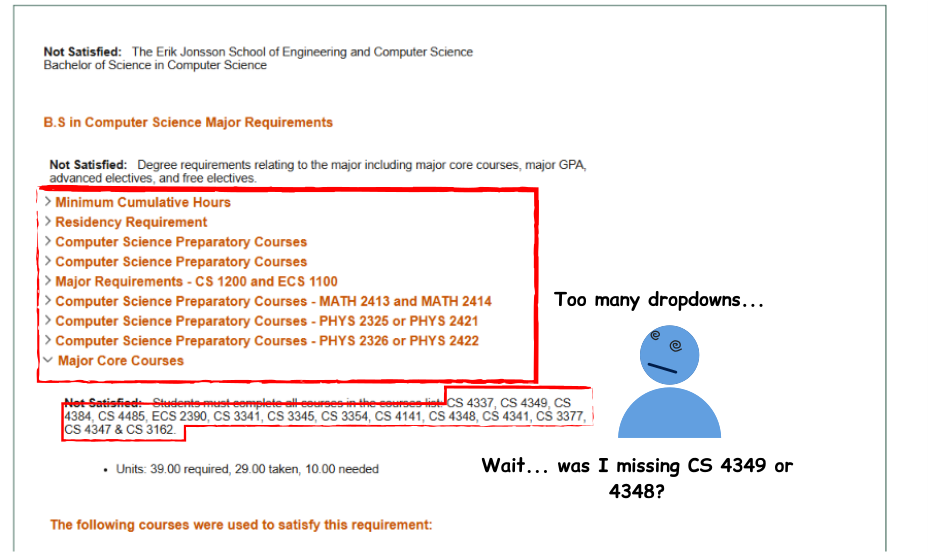 Requirement Categories
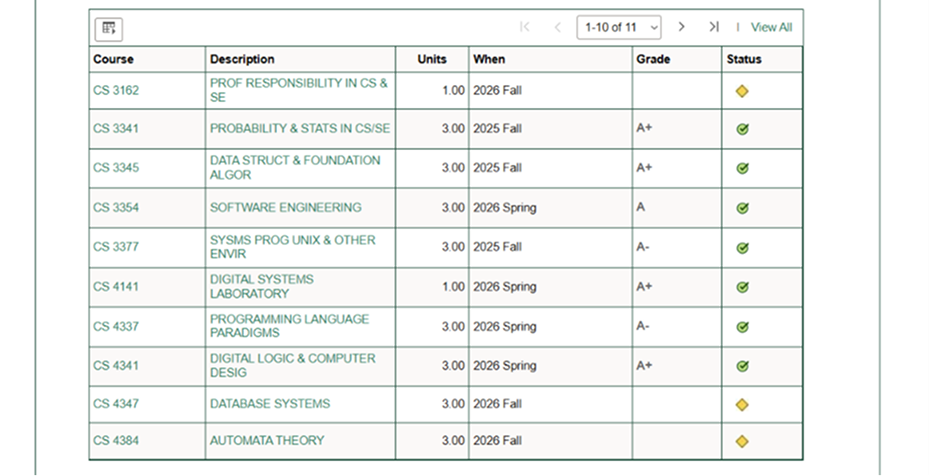 Specific Course Requirements
 Hovering over a specific course shows the hidden info
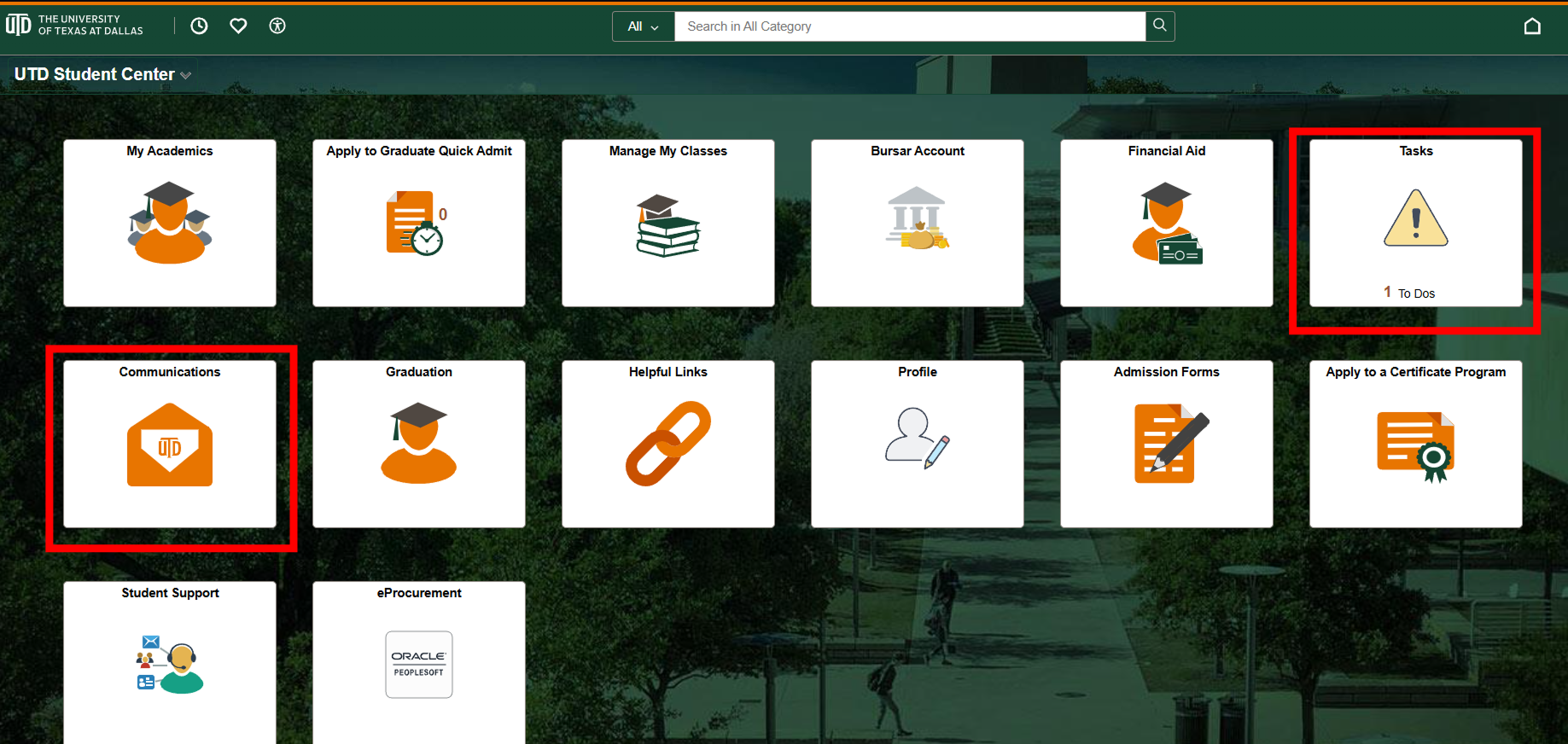 Tasks and Communications are time-sensitive info, so I wanted to emphasize their importance by placing them on the navbar and better indicate any new tasks/messages with high-contrasting alerts.
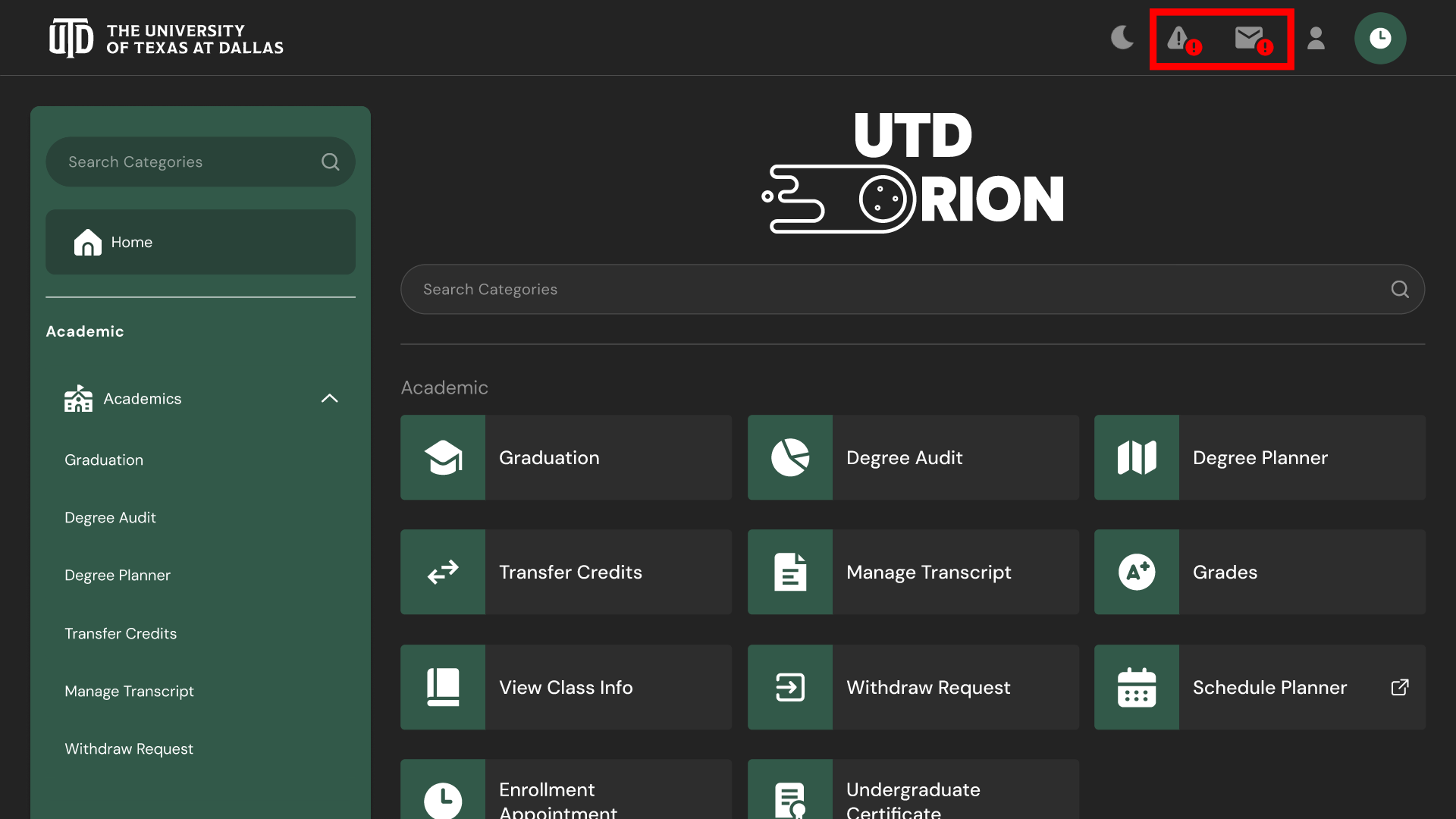 Tasks and Communications are time-sensitive info, so I wanted to emphasize their importance by placing them on the navbar and better indicate any new tasks/messages with high-contrasting alerts.
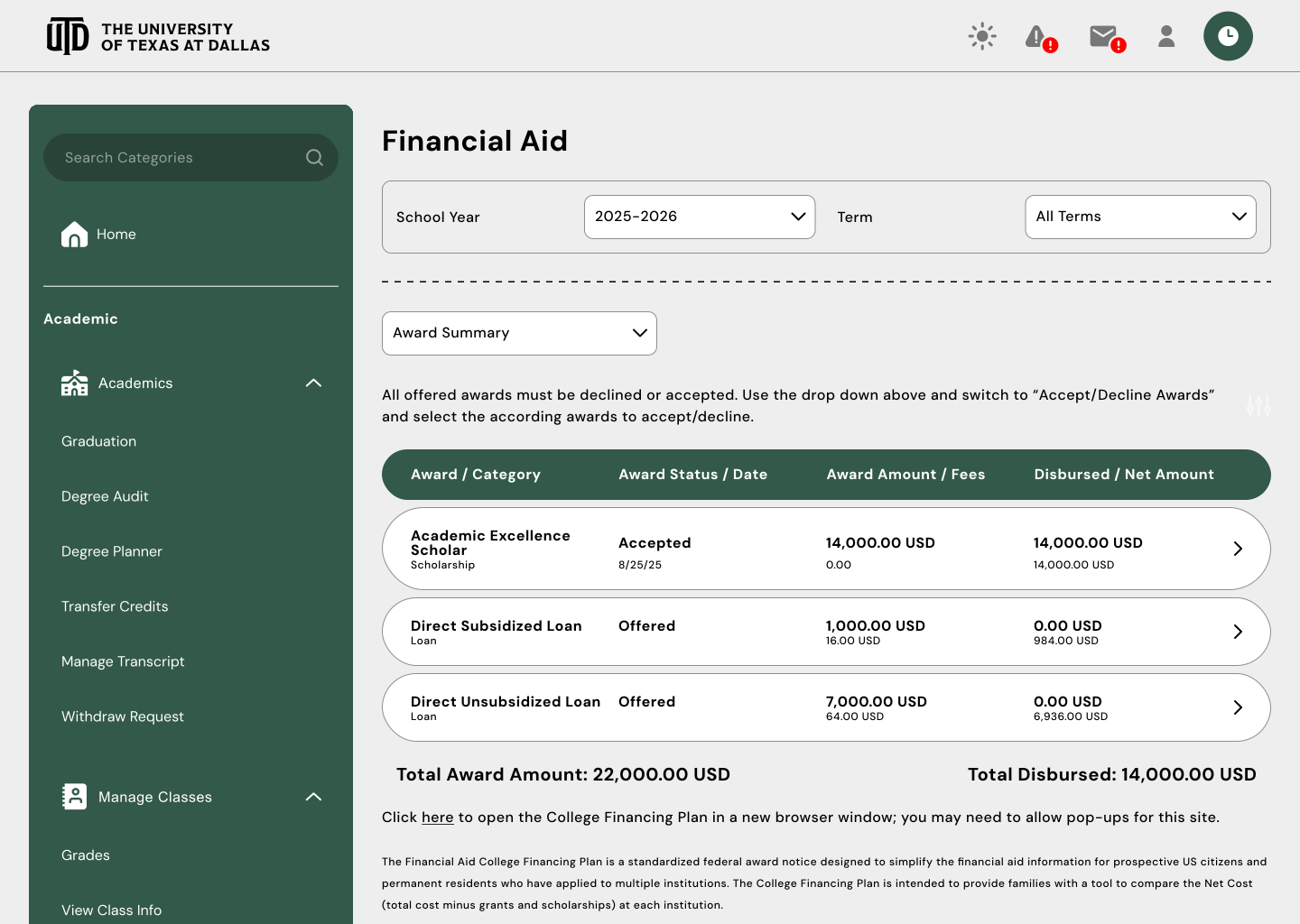
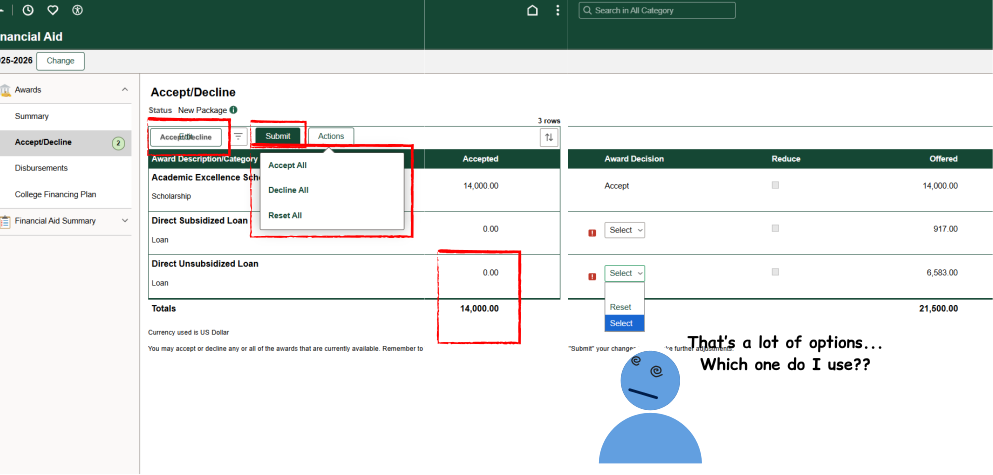 Accepting/declining financial aid in the original design is buried underneath a lot of unclear and obscured buttons/dropdowns; I simplified things into a simple checkbox selection process with clear buttons that do what they say they do.
 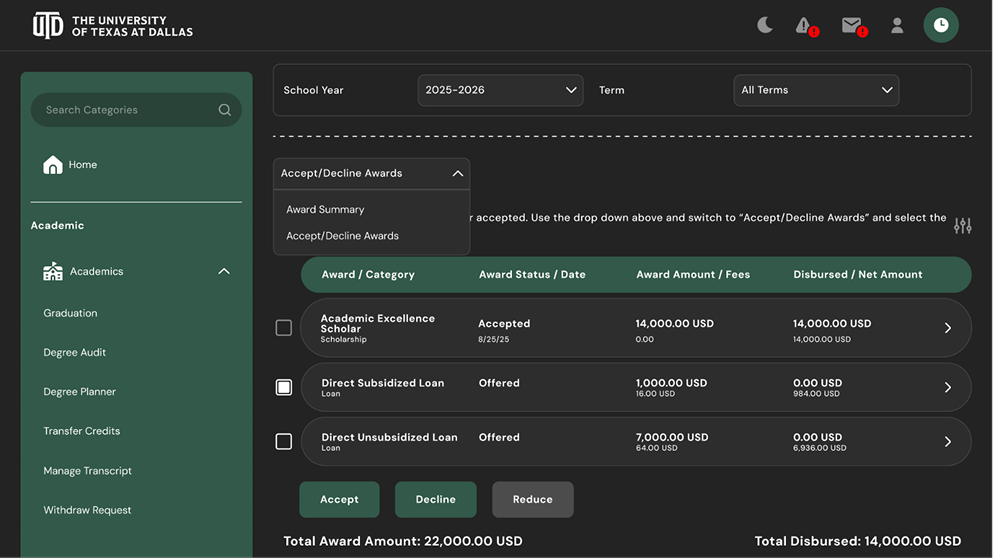 Accepting/declining financial aid in the original design is buried underneath a lot of unclear and obscured buttons/dropdowns; I simplified things into a simple checkbox selection process with clear buttons that do what they say they do.
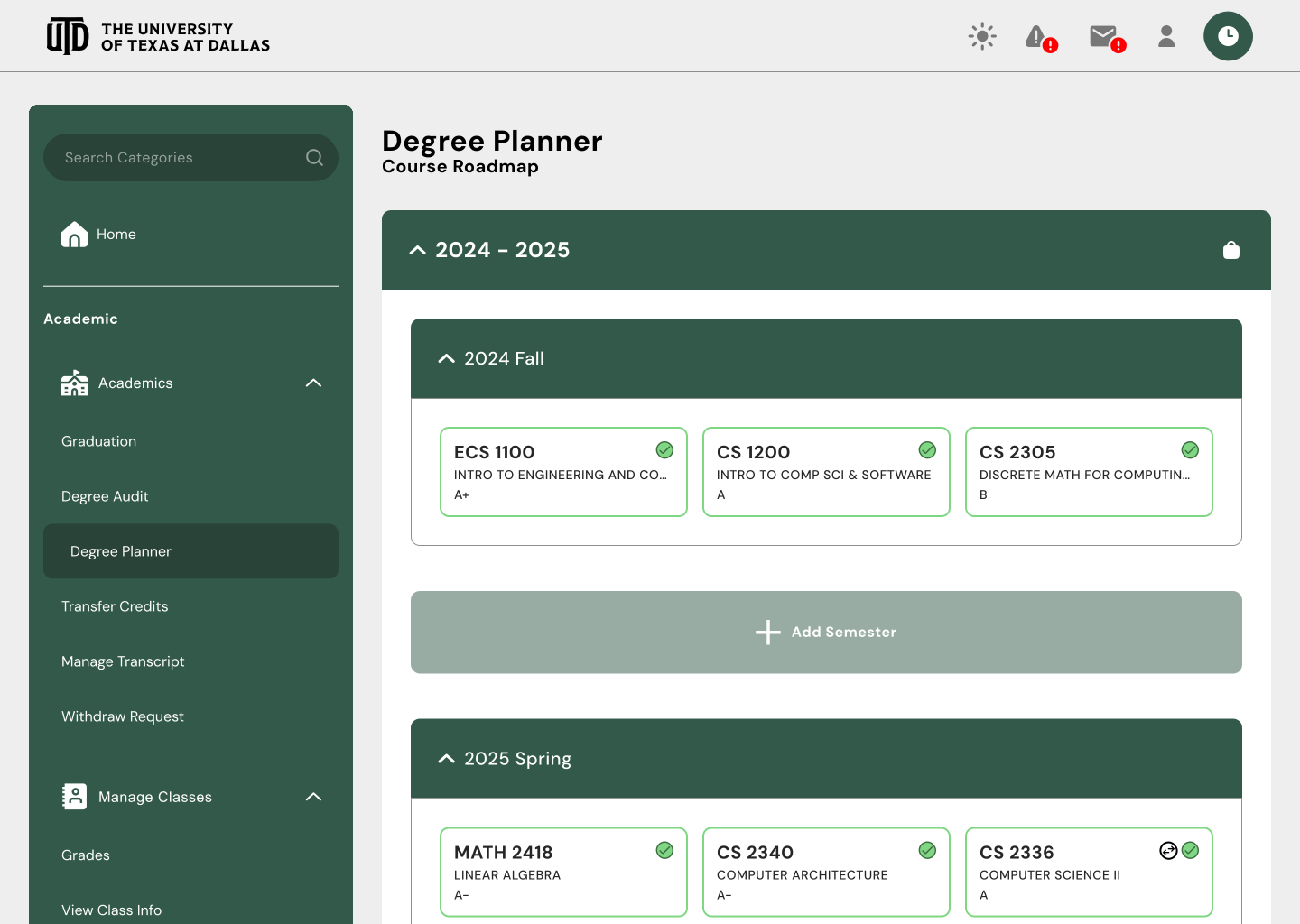
 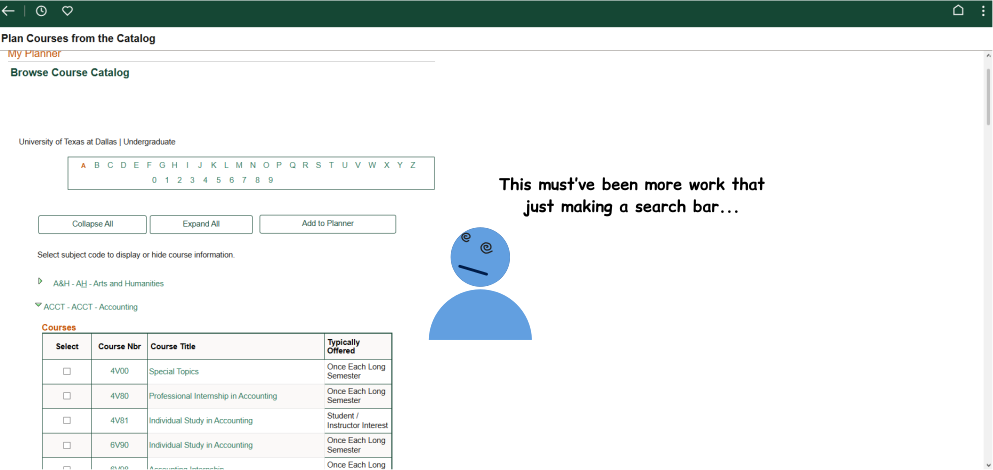 The degree planner lets students browse courses in a catalog and add it to their planner. In the original design, there’s no search bar (again) and it opens an entirely new page, creating a disconnect between the catalog and planner. I wanted to bridge this gap by turning it into a pop-up.
 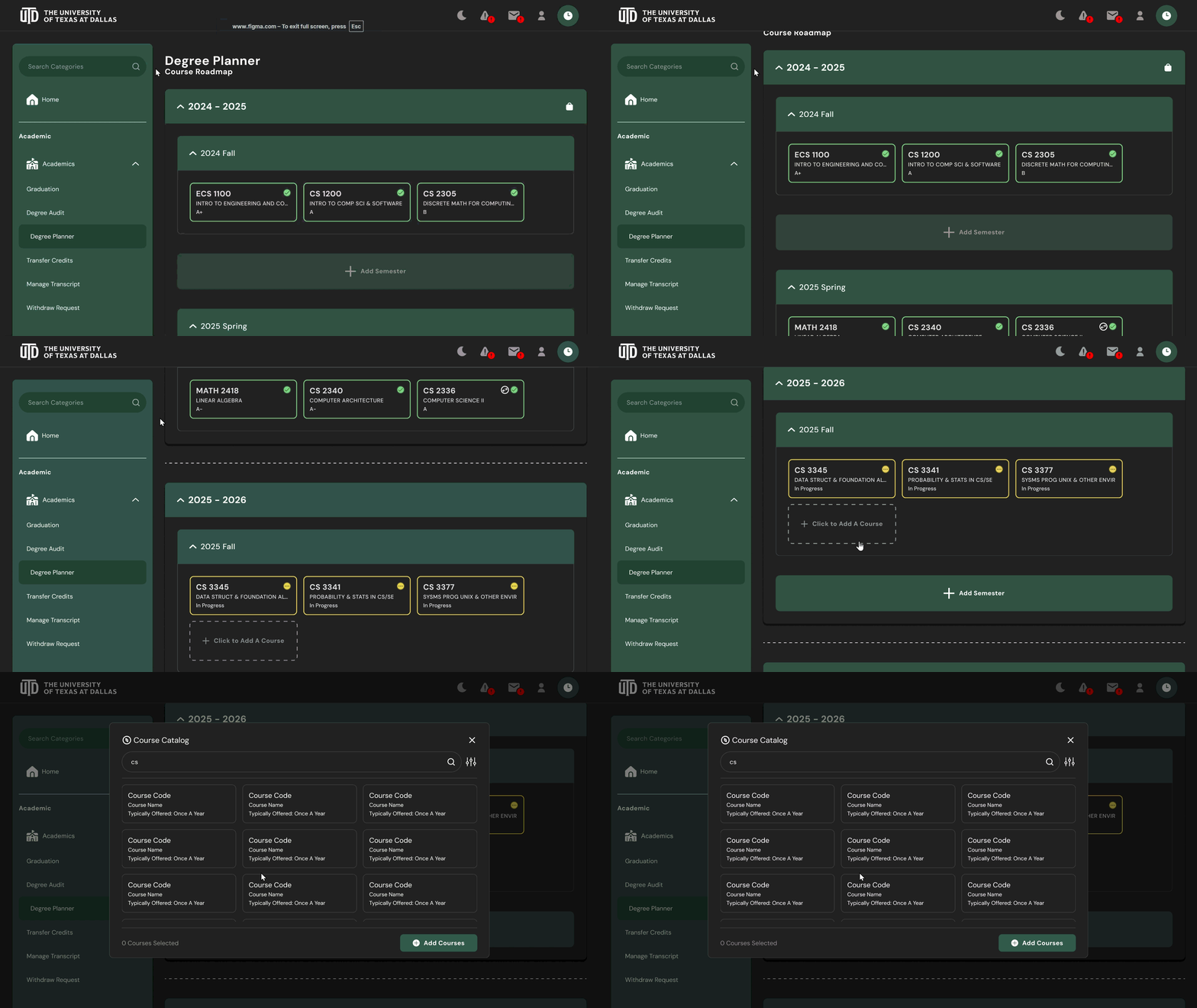 The degree planner lets students browse courses in a catalog and add it to their planner. In the original design, there’s no search bar (again) and it opens an entirely new page, creating a disconnect between the catalog and planner. I wanted to bridge this gap by turning it into a pop-up.